
How7o
  • Home
  • Marketing
    MarketingShow More
    15 Must-See Charts on the State of Marketing
    6 Min Read
    The Beginner’s Guide about Facebook Advertising
    6 Min Read
    64 Creative Marketing Ideas to Boost Your Business
    6 Min Read
  • Resouce
    ResouceShow More
    5 Must-Have Digital Marketing Data Sources
    6 Min Read
    Archival Solution Deployment Best Practices
    6 Min Read
    How Secure Your Mobile Device in Six Steps
    6 Min Read
    5 Effective Ways to Increase Market Share Online
    6 Min Read
    Tips Debugging with CMS code Optimization Quick
    6 Min Read
  • Features
    FeaturesShow More
    7 Things You Need to Know About Feature Driven
    6 Min Read
    Turn an Excel Spreadsheet or Google Sheets Doc
    6 Min Read
    3 Common Ways to Forecast Currency Exchange
    6 Min Read
    Step by Step Guide to a Technical SEO Audit
    6 Min Read
    10+ Free Tools to Make Your Own Animated GIFs
    6 Min Read
  • Guide
    GuideShow More
    Create an Engagement Custom Audience from Video
    6 Min Read
    The Ultimate Guide, Easily Make Videos Tutorials
    6 Min Read
    Tips to Keep Your Cloud Storage Safe and Secure
    6 Min Read
  • Contact
  • Blog
Reading: How to Check if GD Library Is Installed in PHP (3 Easy Methods)
Share
Subscribe Now
How7oHow7o
Font ResizerAa
  • Marketing
  • Resouce
  • Features
  • Guide
  • Complaint
  • Advertise
Search
  • Categories
    • Marketing
    • Resouce
    • Features
    • Guide
    • Lifestyle
    • Wellness
    • Healthy
    • Nutrition
  • More Foxiz
    • Blog Index
    • Complaint
    • Sitemap
    • Advertise
Follow US
Copyright © 2014-2023 Ruby Theme Ltd. All Rights Reserved.
How7o > Blog > Web Development > How to Check if GD Library Is Installed in PHP (3 Easy Methods)
Web Development

How to Check if GD Library Is Installed in PHP (3 Easy Methods)

how7o
By how7o
Last updated: January 12, 2026
5 Min Read
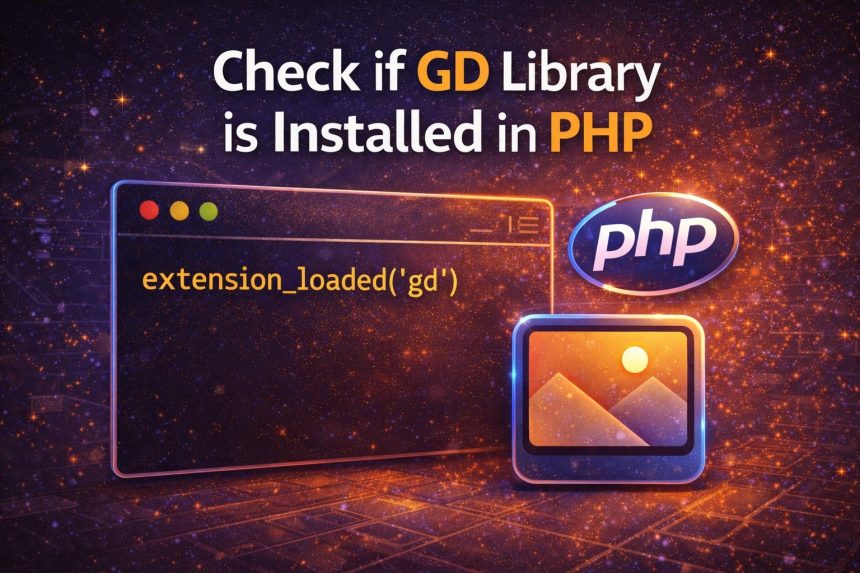
Check if GD library is installed in PHP (phpinfo and extension_loaded)
SHARE

I ran into this when I was working on a PHP project that generates thumbnails. Everything looked fine… until I hit an image function and got errors like “Call to undefined function imagecreatefromjpeg()” or the script simply failed when trying to resize images.

Contents
  • What is the GD library in PHP?
  • Method 1: Check GD using phpinfo() (web browser method)
  • Method 2: Check GD using extension_loaded(‘gd’) (quick PHP script)
  • Method 3: Check GD from the command line (fastest on servers)
    • Important: CLI PHP vs Web Server PHP can be different
  • Extra check: Verify GD functions exist
  • If GD is NOT installed: how to install it
    • Ubuntu / Debian
    • AlmaLinux / Rocky / CentOS (RHEL-based)
    • Restart PHP / Web Server
  • FAQ
    • Is GD required for WordPress?
    • GD is installed but my site still says it’s missing
  • Final thoughts

That’s when I remembered: those image functions depend on the GD library. Some servers have it enabled by default, but many don’t—especially fresh VPS setups.

So here’s the exact way I check if GD library is installed in PHP, plus what to do if it’s missing.

What is the GD library in PHP?

GD is a PHP extension used for basic image processing—creating images, resizing, cropping, adding text, and working with JPG/PNG/GIF/WebP (depending on how it was compiled). If your project (or WordPress plugin/theme) needs to manipulate images, GD is one of the most common requirements.
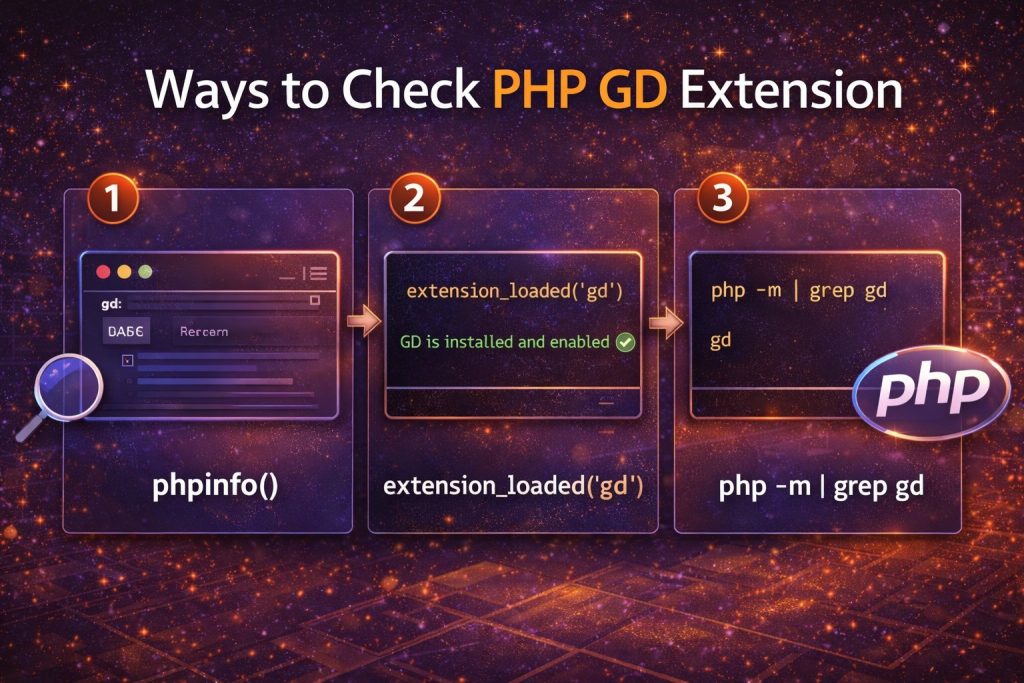
Ways to check PHP GD extension: phpinfo, extension_loaded, php -m

Method 1: Check GD using phpinfo() (web browser method)

This is the easiest method if your PHP is running through a web server (Apache/Nginx). Create a file like phpinfo.php inside your web root:

<?php
phpinfo();

Open it in your browser:

https://yourdomain.com/phpinfo.php

Now press CTRL + F and search for gd. If GD is installed, you’ll usually see a section like gd or GD Support enabled.

Security tip: Delete phpinfo.php after checking. It reveals a lot of server information and you don’t want it public.

Method 2: Check GD using extension_loaded(‘gd’) (quick PHP script)

If you want a clean true/false result, this is my favorite. Create a file named gd-check.php:

<?php
if (extension_loaded('gd')) {
    echo "GD is installed and enabled ✅";
} else {
    echo "GD is NOT installed ❌";
}

Open it in the browser, or run it from CLI if you want:

php gd-check.php

Method 3: Check GD from the command line (fastest on servers)

If you have SSH access, you can check loaded PHP modules instantly:

php -m | grep -i gd

If GD is installed, you’ll see something like:

gd

If nothing shows, either GD isn’t installed, or you’re checking the wrong PHP version.

Important: CLI PHP vs Web Server PHP can be different

This one catches a lot of people (including me the first time). Your terminal might be using PHP 8.3, while your website is running PHP 8.1 via PHP-FPM. So always confirm the version:

php -v

If you have multiple versions installed, try:

php8.1 -m | grep -i gd
php8.2 -m | grep -i gd

Extra check: Verify GD functions exist

If you’re debugging a specific error, you can check if a GD function is available:

<?php
echo function_exists('imagecreatetruecolor')
    ? "GD functions available ✅"
    : "GD functions missing ❌";

If GD is NOT installed: how to install it

If your check shows GD is missing, install the GD package for your OS and PHP version.

Ubuntu / Debian

sudo apt update
sudo apt install -y php-gd

If you’re using a specific PHP version (example: 8.1):

sudo apt install -y php8.1-gd

AlmaLinux / Rocky / CentOS (RHEL-based)

sudo dnf install -y php-gd

Restart PHP / Web Server

After installing, restart the service your site uses:

  • Apache: sudo systemctl restart apache2 (or httpd on RHEL-based)
  • PHP-FPM: sudo systemctl restart php-fpm (or php8.1-fpm, php8.2-fpm, etc.)
  • Nginx (if using PHP-FPM): sudo systemctl restart nginx

Then run the same checks again (phpinfo() / extension_loaded('gd') / php -m) to confirm it’s enabled.

FAQ

Is GD required for WordPress?

WordPress can use GD or Imagick for image processing. Many hosting environments rely on GD by default, and some plugins specifically require it.

GD is installed but my site still says it’s missing

This usually means your CLI PHP has GD, but your web server PHP-FPM version doesn’t (or vice versa). Check PHP versions on both sides and install the correct phpX.Y-gd package.

Final thoughts

If you just want a fast answer, here’s the order I use:

  • Quickest: php -m | grep -i gd
  • Most reliable in PHP: extension_loaded('gd')
  • Most visual: phpinfo() (then search for “gd”)

Once GD is installed and enabled, image functions stop failing and projects that generate thumbnails start working immediately.

TAGGED:almalinuxApacheextension_loadedGD LibraryImage ProcessingNginxphpPHP ExtensionsPHP-FPMphpinfoUbuntu

Sign Up For Daily Newsletter

Be keep up! Get the latest breaking news delivered straight to your inbox.
By signing up, you agree to our Terms of Use and acknowledge the data practices in our Privacy Policy. You may unsubscribe at any time.
Share This Article
Facebook Copy Link Print
Previous Article Laravel Blade Time Format (HH:MM) How to Show Only Hours and Minutes in Laravel Blade (HH:MM)
Next Article Update Ubuntu to the latest kernel version Update Ubuntu to the Latest Kernel Version (Safe Server Steps)
Leave a Comment

Leave a Reply Cancel reply

Your email address will not be published. Required fields are marked *

FacebookLike
XFollow
PinterestPin
InstagramFollow

Subscribe Now

Subscribe to our newsletter to get our newest articles instantly!
Most Popular
How I Fixed Composer Dependency Errors
How I Fixed Composer Dependency Errors Using the –ignore-platform-reqs Flag (Step-by-Step Guide)
January 12, 2026
Transfer Discourse to a new server
How to Transfer Discourse to a New Server on AlmaLinux (Backup + Restore, Step-by-Step)
January 12, 2026
Installed Discourse on AlmaLinux
How I Installed Discourse on AlmaLinux (Docker Method, Step-by-Step)
January 12, 2026
Installing Docker on AlmaLinux guide
Install Docker on AlmaLinux: Step-by-Step (Docker CE + Compose)
January 12, 2026
Change welcome message on Ubuntu VPS server (MOTD + SSH banner)
Change Welcome Message on Ubuntu VPS (MOTD + SSH Banner)
January 12, 2026

You Might Also Like

Automatic logout timeout for command line in Ubuntu (TMOUT 300s)
Server Management

Automatic Logout Timeout for Command Line in Ubuntu (TMOUT 300s)

5 Min Read
Laravel Blade Time Format (HH:MM)
Web Development

How to Show Only Hours and Minutes in Laravel Blade (HH:MM)

3 Min Read
Update Ubuntu to the latest kernel version
Server Management

Update Ubuntu to the Latest Kernel Version (Safe Server Steps)

5 Min Read
Create a Directory in Ubuntu
Server Management

Create a Directory in Ubuntu (mkdir Command + Examples)

4 Min Read

Always Stay Up to Date

Subscribe to our newsletter to get our newest articles instantly!
How7o

We provide tips, tricks, and advice for improving websites and doing better search.

Latest News

  • SEO Audit Tool
  • Client ReferralsNew
  • Execution of SEO
  • Reporting Tool

Resouce

  • Google Search Console
  • Google Keyword Planner
  • Google OptimiseHot
  • SEO Spider

Get the Top 10 in Search!

Looking for a trustworthy service to optimize the company website?
Request a Quote
Welcome Back!

Sign in to your account

Username or Email Address
Password

Lost your password?