
I hit a really annoying issue on one of my CloudLinux + cPanel servers: random 503 Service Unavailable errors with the message “The server is temporarily busy, try again later.”
- Important warning (read this first)
- Step 1: Confirm Imunify360 is the source of the slowdown
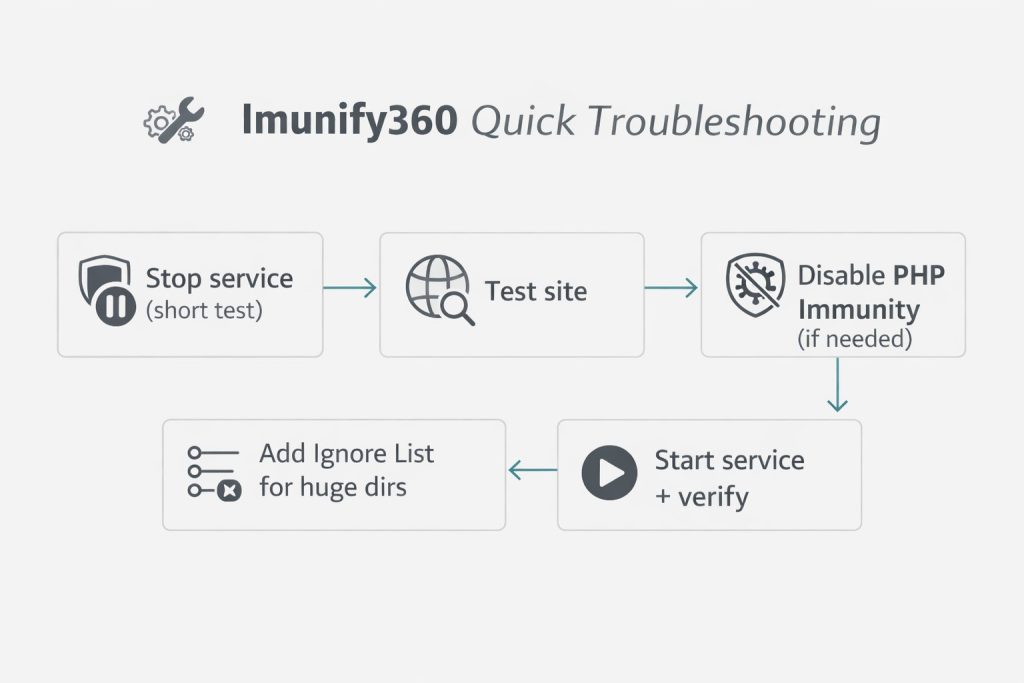
- Step 2: Temporarily stop Imunify360 service (testing)
- Step 3: If your issue is “503 Service Unavailable”, check PHP Immunity (common fix)
- Step 4: Stop Imunify360 from scanning huge directories (Ignore List)
- Step 5: Schedule scans for off-peak hours
- Step 6: Final verification checklist
- Related posts (internal links)
- Final thoughts
At first I blamed PHP-FPM or the web server, but the pattern was weird — the site was fine, then suddenly it would spike CPU/IO and start throwing 503s. After checking the server load a few times, I noticed it usually happened when Imunify360 was actively scanning (especially when it was touching very large files/directories).
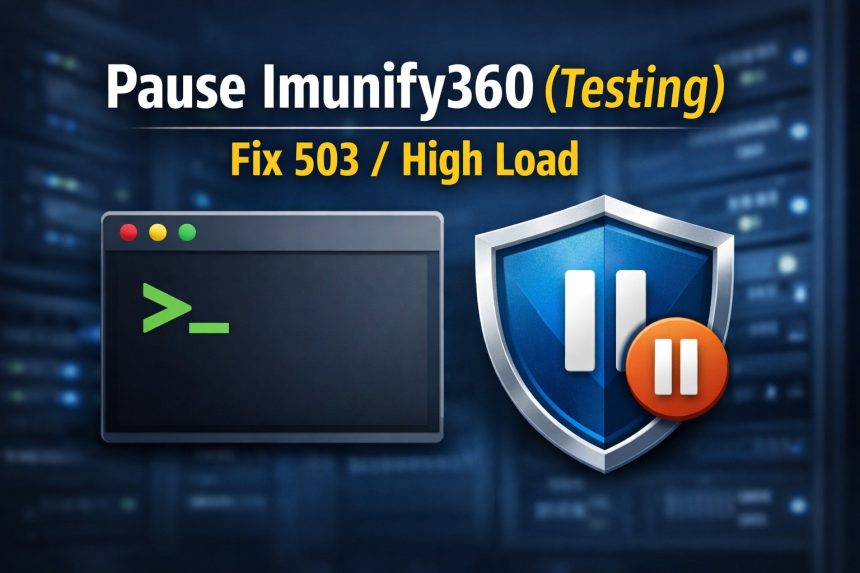
So I did the most practical test: I temporarily stopped Imunify360, checked if the 503s stopped, then turned it back on and fixed the root cause (instead of leaving security disabled). This post shows the exact workflow I used.
Important warning (read this first)
Imunify360 is a security layer. Stopping it is something you should do only for short testing or maintenance windows. If you stop it, test what you need to test, then start it again immediately.
- Do this only if you’re the server owner/admin (root/WHM access).
- Keep your server firewall/WAF rules in place.
- Don’t leave protection disabled permanently just to “fix” performance — tune it instead (I show how below).
Step 1: Confirm Imunify360 is the source of the slowdown
Before touching anything, I verify the symptoms during a spike:
uptime
top
If I see load skyrocketing and the server starts returning 503 errors, that’s my sign to do a controlled test by pausing Imunify360.
Step 2: Temporarily stop Imunify360 service (testing)
Access your server as root using SSH or WHM Terminal, then stop the Imunify360 service:
systemctl stop imunify360Now re-test your website and watch your load. If the 503 errors immediately stop and the server becomes stable again, Imunify360 is very likely part of the problem (usually scanning intensity, PHP Immunity, or a directory that’s too heavy to scan frequently).
Start it again after testing
As soon as you finish the test, enable it back:
systemctl start imunify360And check status:
systemctl status imunify360Step 3: If your issue is “503 Service Unavailable”, check PHP Immunity (common fix)
On cPanel servers, one common trigger behind weird 503 behavior is PHP Immunity. In my case, disabling PHP Immunity fixed the random 503 bursts without needing to keep Imunify360 fully stopped.
To disable PHP Immunity in WHM:
- Log into WHM as root
- Go to Home → Plugins → Imunify360
- Click the gear icon (Settings)
- Open the Malware tab
- Uncheck PHP Immunity
- Click Save Changes
My rule: I change one thing at a time, then test for 30–60 minutes. That’s the fastest way to be sure what actually fixed it.
Step 4: Stop Imunify360 from scanning huge directories (Ignore List)
The real reason Imunify360 was “slowing my server” wasn’t that it’s a bad product — it was scanning heavy folders that don’t need frequent malware scanning. Typical examples:
- backup directories (full-site archives, cPanel backups)
- cache folders
- big log folders
- large uploads or generated files
- developer folders like
node_modules(if you host apps)
In WHM Imunify360, go to the Malware Scanner section and add those paths to the Ignore List. After I excluded the “huge but safe” folders, scans stopped causing spikes.
Step 5: Schedule scans for off-peak hours
If you host busy sites, it helps a lot to run heavier scans during off-peak time (late night / early morning) instead of peak traffic hours. I treat Imunify scans the same way I treat backups: schedule them, don’t let them randomly fight my traffic for CPU and disk IO.
Step 6: Final verification checklist
- Imunify360 service is running again (
systemctl status imunify360shows active) - 503 errors are gone
- Server load is stable during scan windows
- Heavy folders are excluded via Ignore List
- (If needed) PHP Immunity is disabled and the site is stable
Related posts (internal links)
Final thoughts
Temporarily stopping Imunify360 is a great diagnostic step — but the long-term fix is tuning: disable the feature that conflicts (often PHP Immunity), exclude heavy directories, and schedule scans properly. That way you keep security enabled and your server stays fast and stable.